Command Mode
 during the game to display three commands in the upper-right portion of the screen. Use
  /
/ to choose a command, then press
  to confirm.
During command mode the game is paused, so no enemies will spot you.

Selecting a Weapon
Choose "WEAPON" to display a list of the weapons in your possession. Use / to choose a weapon, then press to confirm your selection and close command mode.
Selecting an Item
Choose "EQUIP." to display a list of the items in your possession. Use / to choose an item, then press to confirm your selection and close command mode. You can use items such as rations by pressing .
Using the Codec
/ to adjust the frequency left and right, then push up to initiate a call. To speak with someone you have called before, press / left and right to find their frequency and begin the call.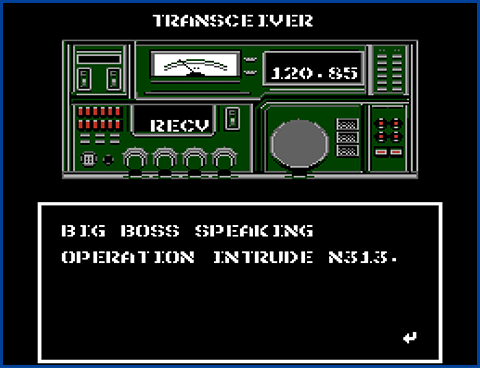
Sending a Message (SEND)
Use / to adjust the frequency left and right, then push up to send.
If the frequency is correct, the other party will respond.
- The other person will not respond if they are unavailable.
Receiving a Message (RECV)
To receive a message from someone, simply press / left or right to align the frequency and answer.
Codec Calls
If someone is calling you, the CALL sign will display on the bottom of the screen.
Enter command mode and select "TRCVR" to start conversing with the party that is calling.