Codec/Save
The Codec
You can use the Codec by opening the menu and pressing  /
/ . The Codec allows Snake to keep in touch with his team and acquire hints for solving various problems and mysteries during the game.
/. The Codec allows Snake to keep in touch with his team and acquire hints for solving various problems and mysteries during the game.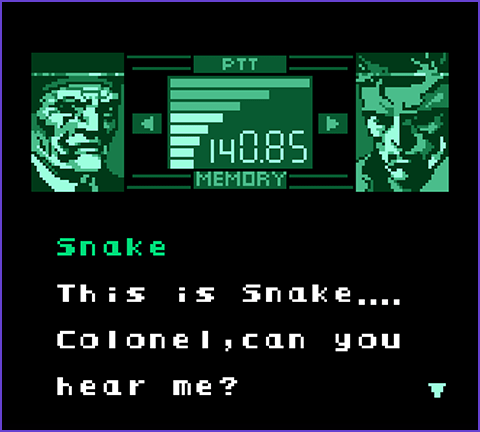
About CALLS
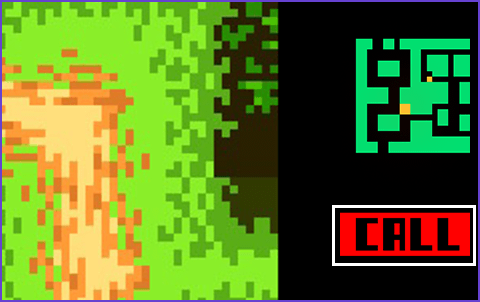
A "CALL" icon will be displayed under the radar when another character is trying to reach out to Snake via the Codec. Switch to the Codec Screen when this is displayed to receive the transmission.
Many of these calls contain valuable hints and should not be missed.
Many of these calls contain valuable hints and should not be missed.
How to Use the Codec
-
1
Selecting Someone to Call
- Use
 to select the frequency of the character you want to call.
You can also press to bring up the Memory Window (a list of all persons Snake has communicated via Codec with in the past), and select them via
  .
.
-
2
Begin transmitting
- If the frequency you are using isn't correct, "NO RESPONSE" will be displayed.
Press  to begin a call.
-
3
Exiting Codec Mode
- Press
 to end a call and return to the game.
Frequency List
| Character/Frequency | Type of Support |
|---|---|
| Roy Campbell/140.85 | As the mission controller, he provides hints relevant to the game's progress. |
| Mei Ling/140.96 | A student who serves as Snake's technical support, she is in charge of saving. |
| Weasel/141.80 | A mercenary who provides information regarding enemy bosses and weapon use. |
| McBride/141.52 | The Director of Operations, African Affairs, CIA. An expert on Gindran affairs. |
Saving Your Progress
Saving is accomplished by communicating with Mei Ling via Codec.
You can only retain one instance of save data, and any previous save data will be overwritten when you save.
Select "CONTINUE" from the title menu to continue from your last save.
You can only retain one instance of save data, and any previous save data will be overwritten when you save.
Select "CONTINUE" from the title menu to continue from your last save.

- Saving in this game refers to the preservation of conditions that existed at the time the player passed through the latest Continue Point, such as the start of a stage or just before a boss battle, immediately preceding the save.