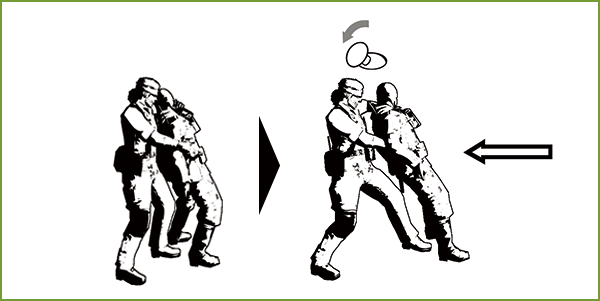
Basic Controls
Move
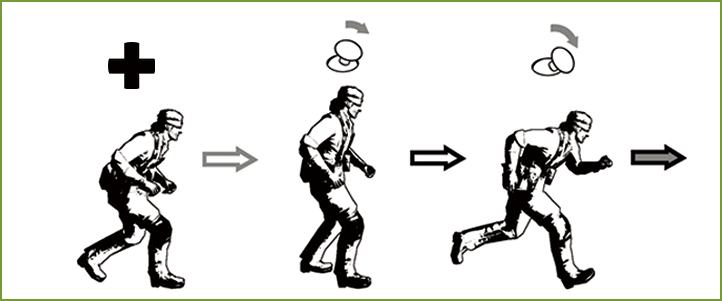
Walk/Run
Tilt  slightly to walk, and tilt it further to run.
Enemy attention will be drawn to the sound of your footsteps. Be vigilant when close to enemies or in areas where your footsteps could be loud.
Stalking
 .
.This extra-cautious movement is silent and won't affect the Camo Index.

Moving in Swamps
Your body will slowly sink while walking through bottomless swamps.
Sinking up to your chest will cause you to drown.
Rolling (Forward Roll)
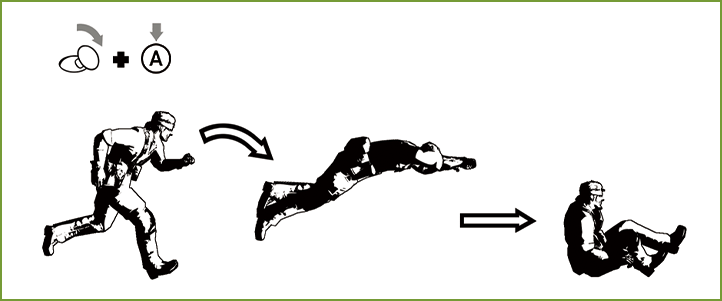
Press  while running to roll forward and fly over pitfalls and obstructions or move between hiding places quickly.
Rolling near enemy soldiers can knock them over. Rolling a few times in succession can even put out flames if you're on fire. Press and hold while rolling forward to finish your roll in a crawling position.
Crouching/Crawling
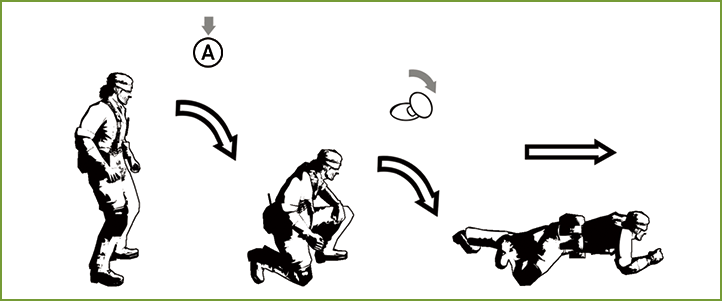
Crouching and crawling allows you to hide from enemies behind low objects.
Tilt while crouching or crawling to crawl along the ground.
Crawling allows you to sneak through narrow spaces like holes or underneath desks.
| Stand | Short press |
Crouch |
|---|---|---|
| Long press |
Crawl |
| Crouch | |
Stand |
|---|
| Crawl | Long press |
Stand |
|---|---|---|
| Short press |
Crouch |
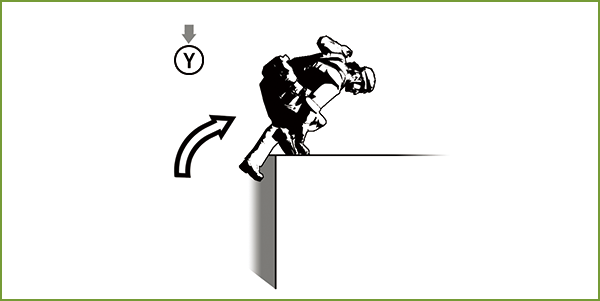
Clearing Heights
 .
.
Hanging
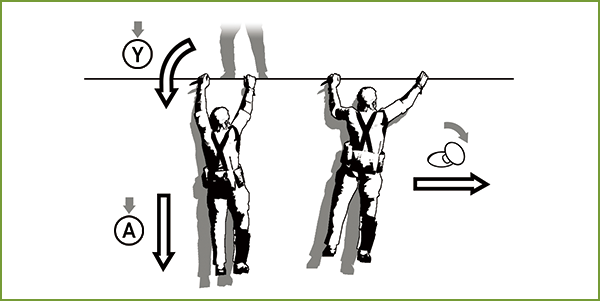
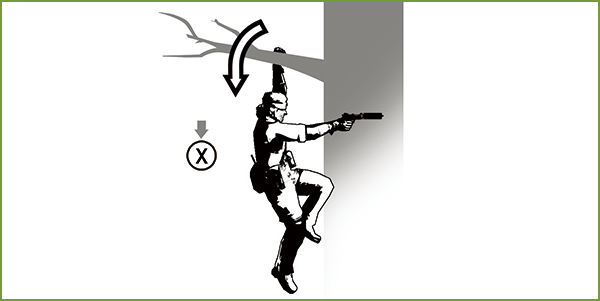
Press when on top of tree branches or in front of handrails to hang from them. The Grip Gauge will appear while you're hanging, and you will fall if it reaches zero.
You will take damage when falling from a high place. Falling from too high will result in a Game Over, so be sure to look before you leap.
Hanging Controls
/  |
Move left/right |
|---|---|
|
|
Return to previous position |
 |
Ready equipped weapon (one-handed hanging) |
|
|
Let go |
|
+ |
Pull-up |
One-Handed Hanging
.
Searching the Area
Sticking to Walls/Peeking
toward a wall to press yourself against it.Move along the wall with
and . Press or while behind a tree or the corner of a wall to peek around it. Peeking will move the camera and allow you to get a better view of your surroundings.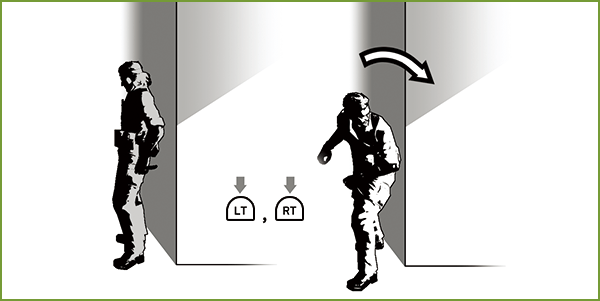
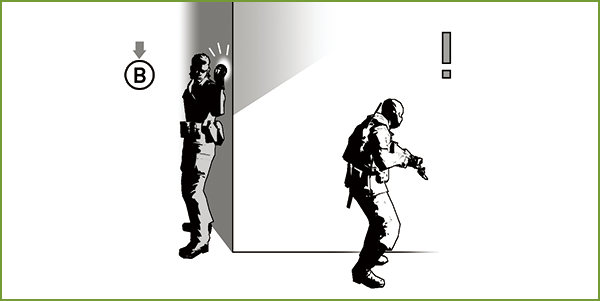
Making Noise
 while against a tree or wall to knock on it.
Enemy soldiers will be drawn to the noise.
First Person View (Step Left/Right)
Hold  to enter First Person View. You can't move while in First Person View, but it'll be much easier to scan your surroundings.
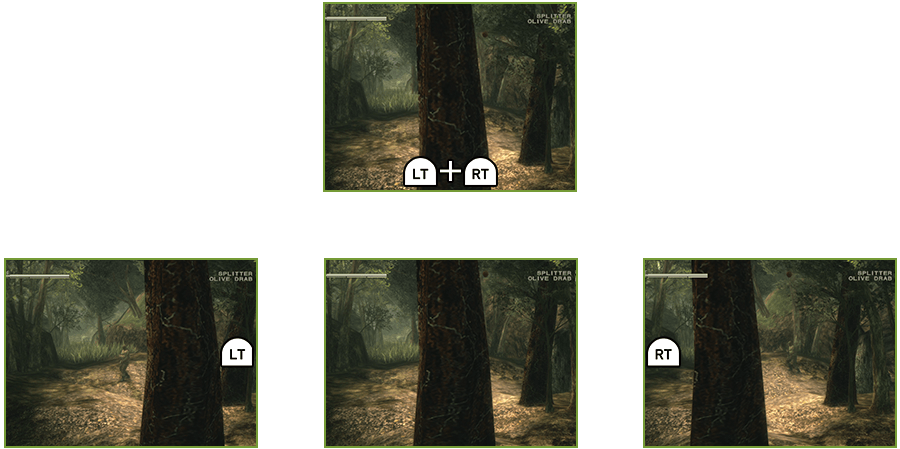
First Person View Controls
|
/ |
Control camera |
|---|---|
|
|
Step left/right |
|
+ |
(Simultaneous) Stand on toes |
- You can change the First Person View vertical axis via Options.
Using the Codec
Press  on the regular game screen to take out the codec.
Use it to seek guidance on where to go, or if you'd like more information on new weapons, items, or food you've picked up.
Action Button
Climbing Trees
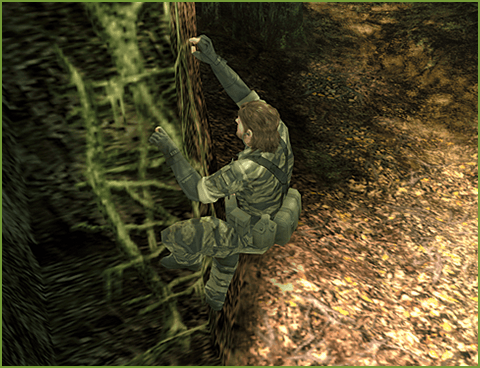
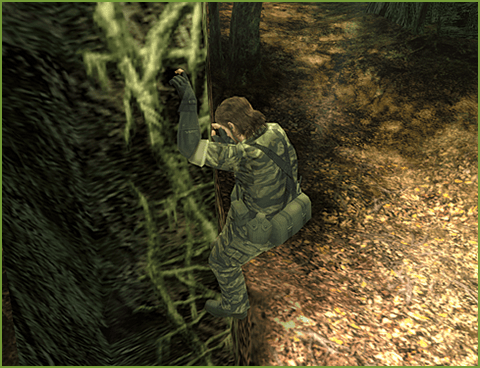
Press in front of trees with ivy to start climbing. To get down, face the trunk and press .
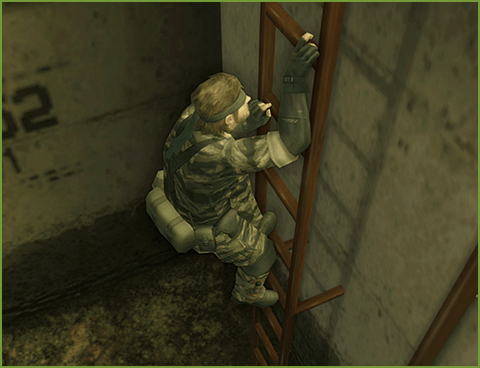
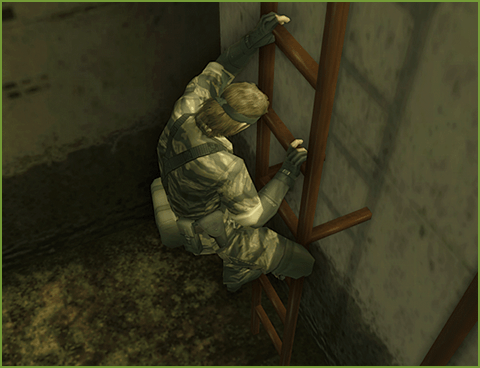
Climbing Ladders
Press in front of or above a ladder to climb onto it.
To get down, tilt the toward the ladder.
You can freely climb up and down certain ladders with and .
Lockers
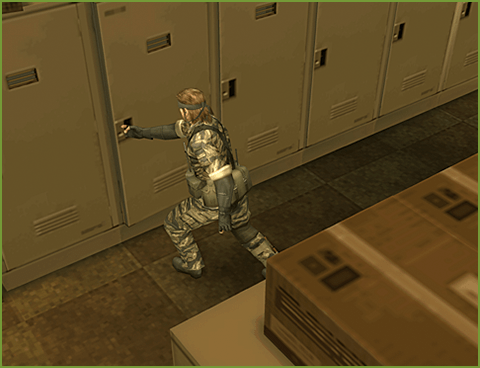
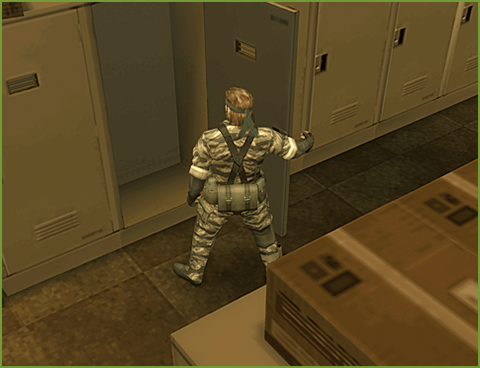
Face a locker door and press to open it. Get inside the open locker and close the door to hide. Press again to leave the locker.
- Some lockers can't be opened.
Combat
Combat with enemy forces is dangerous and should be avoided, but it is sometimes necessary in order to escape.
Attacking with Weapons
Press to use the equipped weapon.
Attacking in First Person View
Attack with while holding down to aim your attack at a specific place while in First Person View. Press to ready your weapon, then let go to attack. To give up attacking after readying your weapon, press .
Attacking while in First Person View allows you to aim for enemies' critical points, shoot down food out of your reach, damage codecs to prevent reinforcements, or perform other actions requiring careful aim.
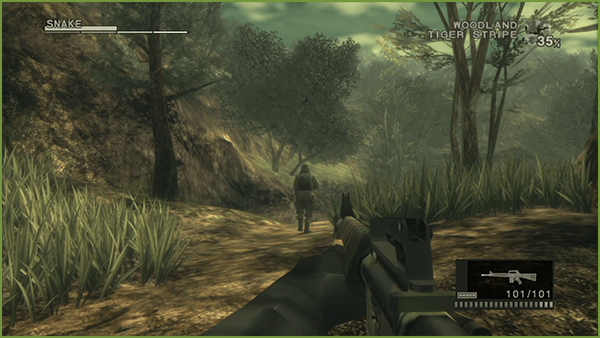
- Button controls may differ depending on the equipped weapon.
Aim From Shoulder/Scope
While in First Person View, press the Aim Button ( ) to increase your weapon's accuracy.
- This will have no effect for some weapons.
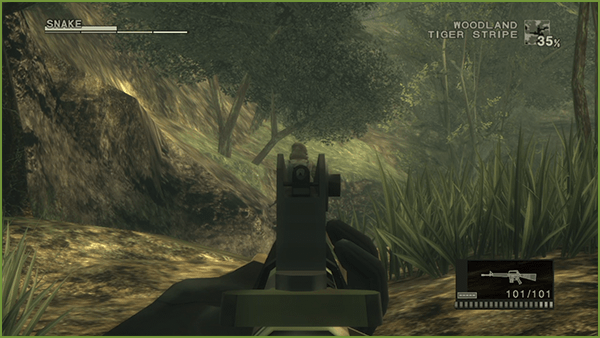
| Assault Rifle | Crosshairs will move to the center of the screen (aim from shoulder). |
|---|---|
| Sniper Rifle | Uses scope. |
Melee
Press with bare fists or while equipped with certain weapons to perform a melee attack. Pressing repeatedly will trigger a combo and send the target flying on the final hit. Enemies will faint when their faint value goes up high enough.
Press while equipped with a weapon to use it to deal more damage with your melee attacks.
CQC (Close Quarters Combat)
CQC allows you to perform special actions on enemies. Capture and restrain an enemy to deal damage, use them as a shield, or force information out of them.
CQC can only be performed while bare-handed or equipped with a weapon, such as a survival knife or handgun, that allows you to capture and pull in enemies with your right hand. Weapons that can be used for this type of combat will be marked with "CQC".
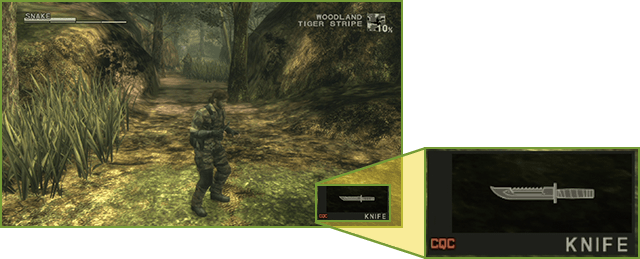
Approach From Behind > Throw
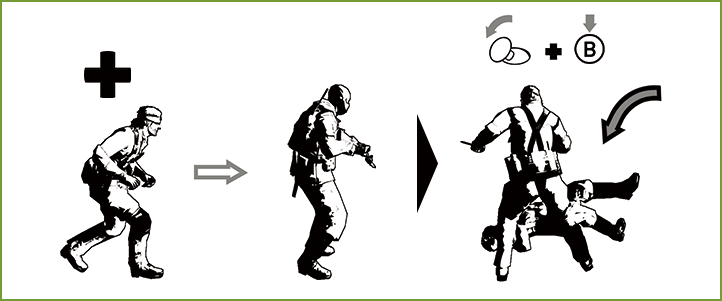
Stalk behind an enemy to get close enough to start CQC. Tilt close to the enemy and press to throw them down and knock them out.
Approach From Behind > Restrain
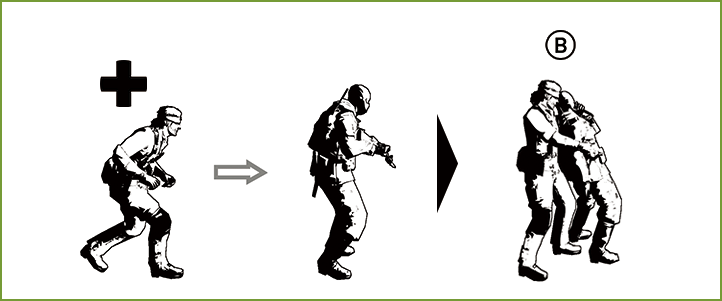
Stalk behind an enemy to get close enough to start CQC. Hold down without touching to restrain the enemy from behind.
- Attention, if you press , and you will kill the restrained enemy.
Interrogate
while restraining an enemy to threaten them with a knife to get answers. Successful interrogations can yield hints on how to proceed, or even some surprising information.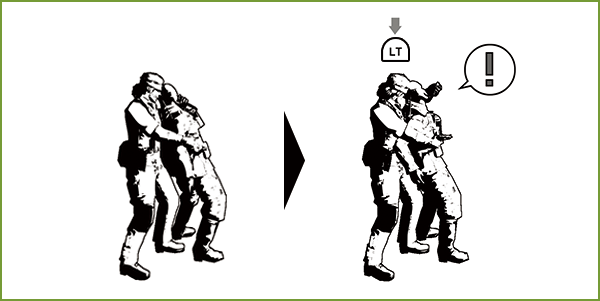
Shield
while restraining an enemy to use them as a shield while brandishing your weapon at other enemies.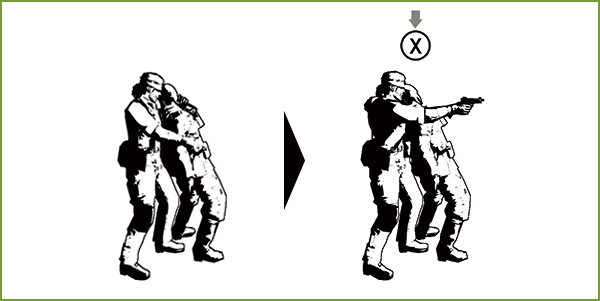
Throw
and press to throw the enemy on the ground. 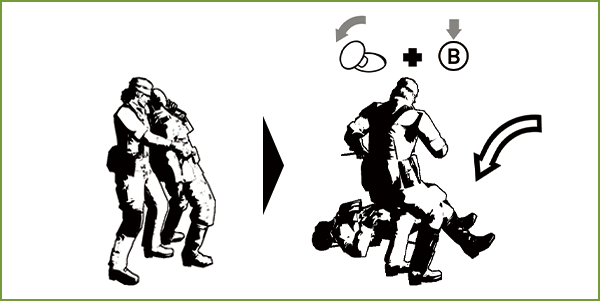
Slit Throat
while restraining an enemy to slit their throat with your knife.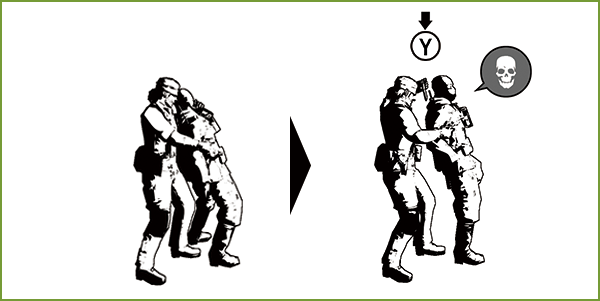
Suffocate/Break Neck
repeatedly while restraining an enemy to suffocate them and knock them out. Continuing this action long enough will break their neck.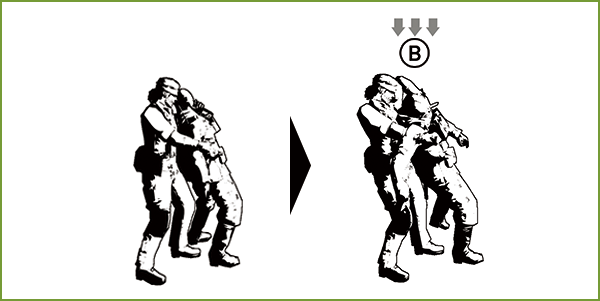
Drag
while restraining an enemy to drag them in any direction.