Starting the Game
TITLE MENU
Press  on the title screen to open the title menu.
on the title screen to open the title menu.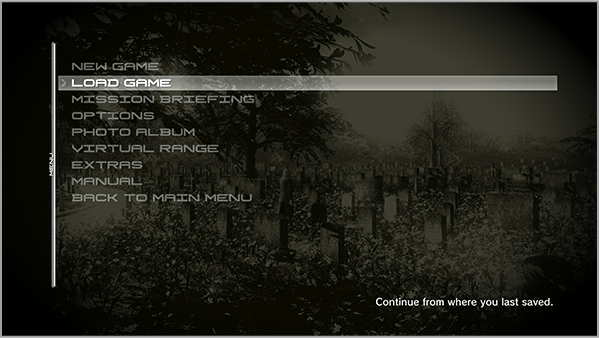
| NEW GAME | Start a new game |
|---|---|
| LOAD GAME | Continue the game from saved data |
| MISSION BRIEFING | View a description of the mission |
| OPTIONS | Adjust the controls and other game settings |
| PHOTO ALBUM | View photos taken with the camera item during the game |
| VIRTUAL RANGE | Practice firing weapons |
| EXTRA |
Display the progress of data obtained through special methods. |
| MANUAL | View the manual |
| BACK TO MAIN MENU | Return to the main menu |
GETTING READY TO PLAY
Before plunging into the main game, get into fighting shape by choosing the following options in order from the Title Menu.
-
1
VIRTUAL RANGE
-
First, get a feel for the controls and practice wielding and firing the weapons.
When finished, press to open the Pause Menu and choose "Exit."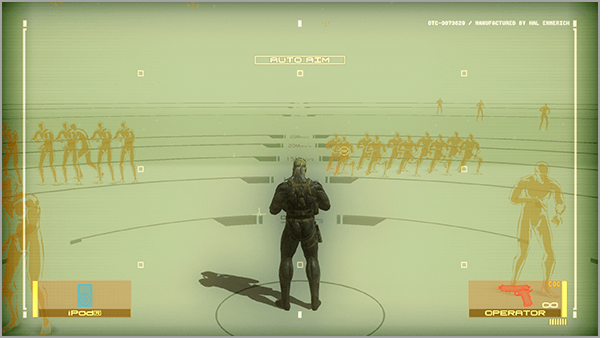
-
2
MISSION BRIEFING
-
Next, watch the Act 1 briefing to check the mission objectives and see the story unfold.
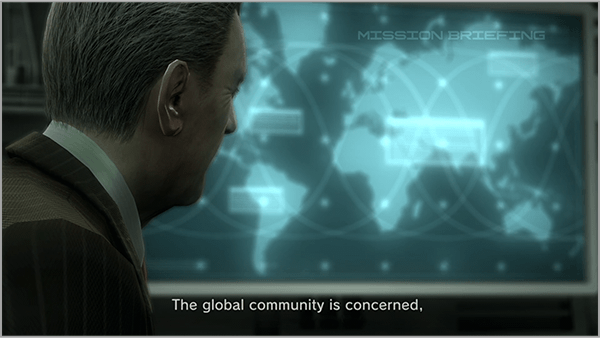
Controls During Mission Briefing:

Switch main monitor (top left) 
Switch between surveillance and Mk. II cameras 
Expand main monitor to full screen
-
3
NEW GAME
-
Choose the level of difficulty.
LIQUID EASY For players who aren't good at action games NAKED NORMAL For players who don't like it easy SOLID NORMAL Standard difficulty BIG BOSS HARD For players who want to test their limits THE BOSS EXTREME For players looking for the ultimate thrill (Unlocked after completing the game once)