Controls
There are multiple different control types—Shooter Type, Action Type, and Hunter Type. This manual explains the game controls using Shooter Type.
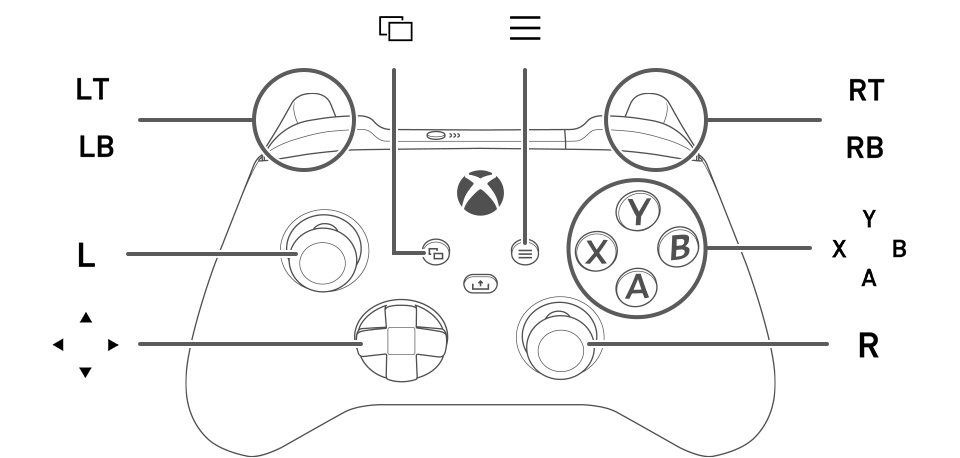
Press  to confirm and
  to cancel when navigating menus and other specific features.
Controls: Shooter Type
|
|
Reload |
|---|---|
/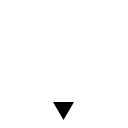 |
Change Stance. Press and hold to lie down. |
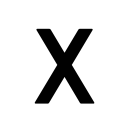 |
Auto Aim Switch |
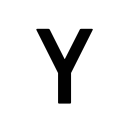 / / |
Action Button |
 |
Display Menu |
 |
Codec Call |
 |
Hold: Show equipment window Tap: Quick-change equipment |
 |
Hold: Show weapon window Tap: Quick-change weapons |
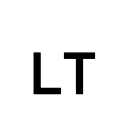 |
While pressed: Aim weapon |
 |
When aiming weapon: Use weapon Without weapon: CQC |
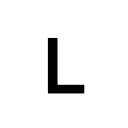 |
Move |
 |
Control camera, Press: Reset Camera |
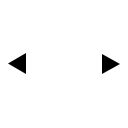 |
When using the scope: Change zoom level |
Controls: Action Type
|
|
Reload |
|---|---|
|
|
Change Stance. Press and hold to lie down. |
|
|
When aiming weapon: Use weapon Without weapon: CQC |
|
|
Action Button |
|
|
Display Menu |
|
|
Codec Call |
|
|
Reset Camera |
|
+ |
When using the scope: Change zoom level |
|
|
While pressed: Aim weapon |
|
|
Hold: Show equipment window Tap: Quick-change equipment |
|
|
Hold: Show weapon window Tap: Quick-change weapons |
|
|
Move |
/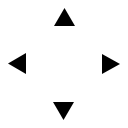 |
Control camera |
Controls: Hunter Type
|
|
Action/Reload |
|---|---|
|
|
Change Stance. Press and hold to lie down. |
|
|
When aiming weapon: Cancel Aim Without weapon: CQC |
|
|
When aiming weapon: Use weapon Without weapon: Aim Weapon |
|
|
Display Menu |
|
|
Codec Call |
|
|
Reset Camera |
|
+ |
When using the scope: Change zoom level |
|
|
Hold: Show equipment window Tap: Quick-change equipment |
|
|
Hold: Show weapon window Tap: Quick-change weapons |
|
|
Move |
|
/ |
Control camera |