Game Screen
The image displayed shows the game screen when set to Shooter Type.
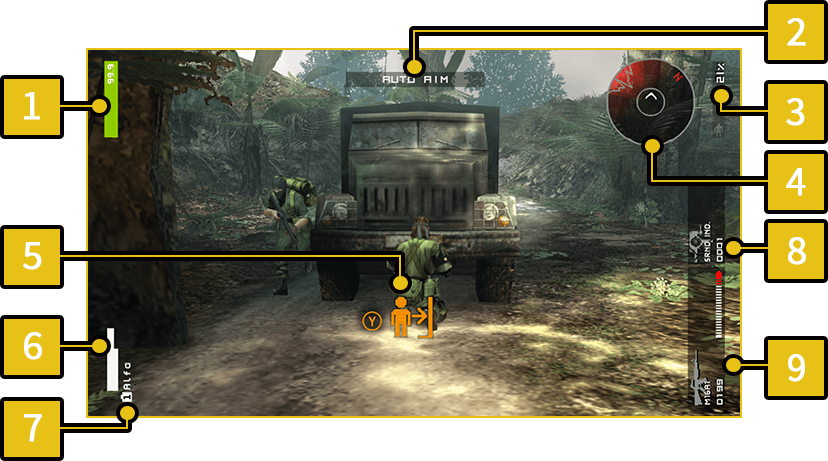
-
2
AUTO AIM
-
When AUTO AIM is turned on, the weapon will automatically aim at nearby enemies when raised.
- 4
- This display is visible when the Surround Indicator is equipped.
-
5
Action Icon
- This display shows actions available in that moment. Push the displayed button to perform the action relevant to the situation.
-
7
Player Name
-
8
Item in Use
-
9
Weapon in Use
Damage Indicator
The type of damage inflicted on an enemy changes how the indicator is displayed.
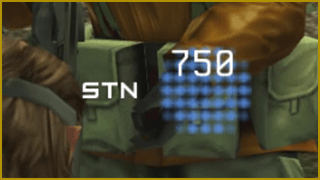 |
Indicates damage to PSYCHE. |
|---|---|
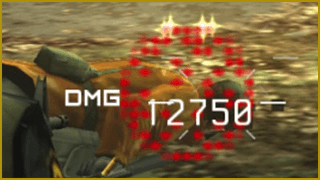 |
Indicates damage to LIFE. |
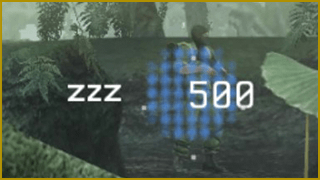 |
Indicates damage inflicted by a tranquilizer gun. |
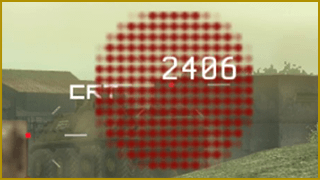 |
Indicates large scale, critical damage. |