Work Together
Enemy Search/Enemy Tag
Press  while lying down or pressing against a wall to engage Enemy Search, which will focus the cameria on a nearby enemy. Switch between different enemies using
  .
.
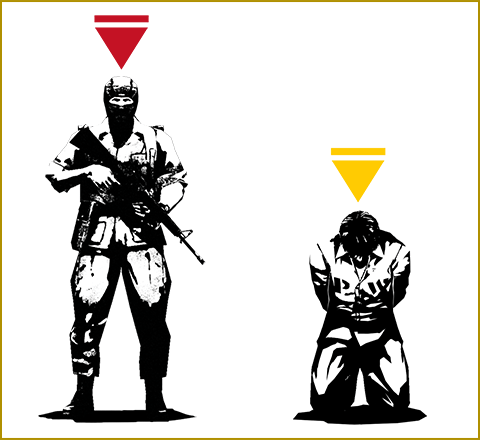
Press the Attack Button while holding to flag the enemy shown. This tag can be seen through objects and show your comrades the location of the enemy.
- Enemies are flagged with a red marker and prisoners are tagged with a yellow marker.
CO-OPS Comms
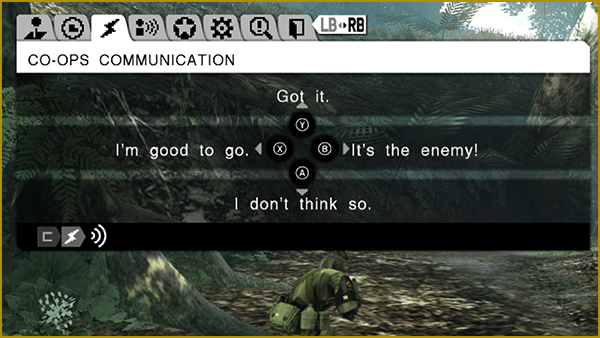
Use CO-OPS Comms to communicate with allies via the radio during CO-OPS.
Select which buttons will active which phrases before the start of the mission from the MISSION PREP menu.
Making Contact
Open the Menu Window with  and select "CO-OPS Comms." From there, press the applicable button to select the desired group and then do so once again to select the desired phrase.
Battle Cry Effects
Camaraderie
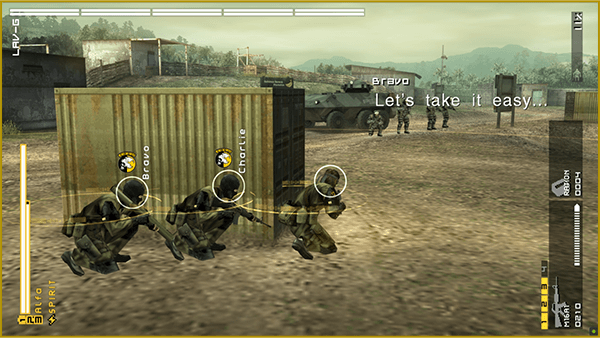
Camaraderie indicates the trust and bond between you and your comrades. Higher Camaraderie results in stronger effects in Snake Sync Mode.
Camaraderie increases through using CO-OP IN, Snake In, and performing CPR on comrades in a near-death state. Conversely, accidentally shooting or injuring a comrade makes it decrease.
Camaraderie earned in a previous CO-OPS gained will be maintained in future CO-OPs games with the same comrades. However, if you don't play with them for an extended period of time, your level of Camaraderie will revert back to its original state.