Weapon Attacks
Using Weapons
Hold the Aim Button to aim your weapon. Continue holding the Aim Button and press the Attack Button to use the weapon.
Press  to reload. Weapons will automatically reload when the number of rounds in the magazine reaches zero if more rounds are available.
Use  to switch the over shoulder camera between right and left.
Using Throwing Weapons
Press the Attack Button while holding the Aim Button throw the weapon.
The longer you press the Attack Button, the further the weapon will be thrown.
Using Placeable Weapons
Press the Attack Button while holding the Aim Button to place weapons.
For weapons like C4, press the Attack Button again after placement to detonate. If more than one weapon has been placed, they will detonate in the order of placement.
Using Scopes
In Shooter Type, use  to adjust the zoom (※).
- In Action Type, use
 and to adjust the zoom. For Hunter Type, use
  and .
and .
AUTO AIM
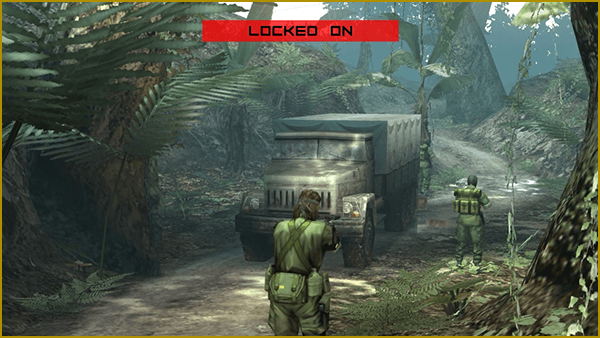
Toggle AUTO AIM
Turn on AUTO AIM in the OPTIONS menu.
Aim Assist
If Aim Assist is enabled in the OPTIONS menu, your weapon automatically be directed to nearby targets.
It is possible to take out an enemy in one shot if targeting their head area or other specific areas.