Weapons/Items
Weapon/Item Information
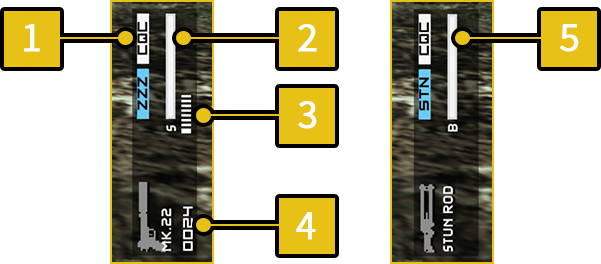
The icon and name of the weapon and item currently equipped are displayed on the right side of the game screen.
The weapon display also contains other additional information about the equipped weapon.
-
1
Weapon Effects
- An icon is displayed when a weapon has a specific effect when used.
| CQC | Weapon that allows CQC. |
|---|---|
| ZZZ | Weapon that puts target to sleep. |
| STN | Weapon that knocks enemies out. |
-
2
Suppressor Durability
- A suppressor reduces the sound made when shooting rounds. This makes it less likely for the enemy to discover you.
However, suppressors wear out over time. When the gauge reaches zero, the suppressor loses its sound suppressing qualities.
-
3
Rounds in Magazine
-
4
Available Rounds
-
5
Battery Life
- Weapons and items that require power use a battery. Battery life decreases over time and when the gauge reaches zero, you will no longer be able to use the weapon or item for a period of time. Battery life is restored automatically over time.
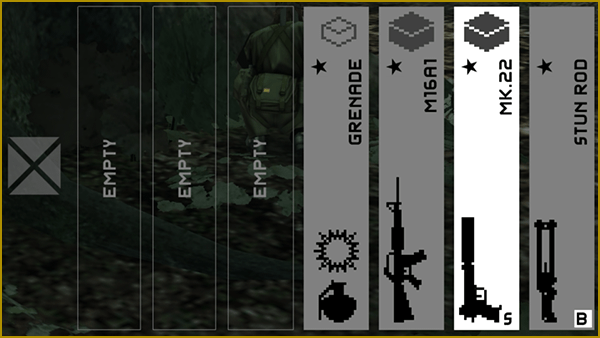
Weapon/Equipment Window
Select your weapon or item of choice by opening the Weapon Window or Equipment Window. Hold  to open the Equipment Window and
  to open the Weapon Window. Use
  /
/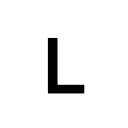 , or
, or 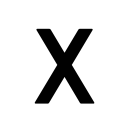 /
/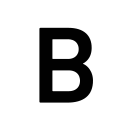 , to equip.
- The numbers of stars displayed indicates the rank of the weapon/item.
Change Weapon/Item Without the Window
Press or to rapidly change your equipped weapon/item without opening the Weapon Window or Equipment Window. Change the settings for this feature in the OPTIONS menu.
| Equip/Unequip | Switch between equipped weapon/item and a barehanded state. Weapon will switch to the Stun Rod. |
|---|---|
| 2 Slot Swap | Switch to the weapon/item equipped immediately prior to the currently equipped weapon/item. |
| 3 Slot Cycle | Switch between weapons/items set to three separate slots. |
Using Consumable Items
Select the item and press 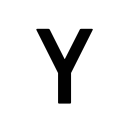 to use consumable items like Rations.
Dropping Weapons/Items
Select the weapon/item able to be dropped press  . This will allow you to place weapons (ammo) and items where you are standing.